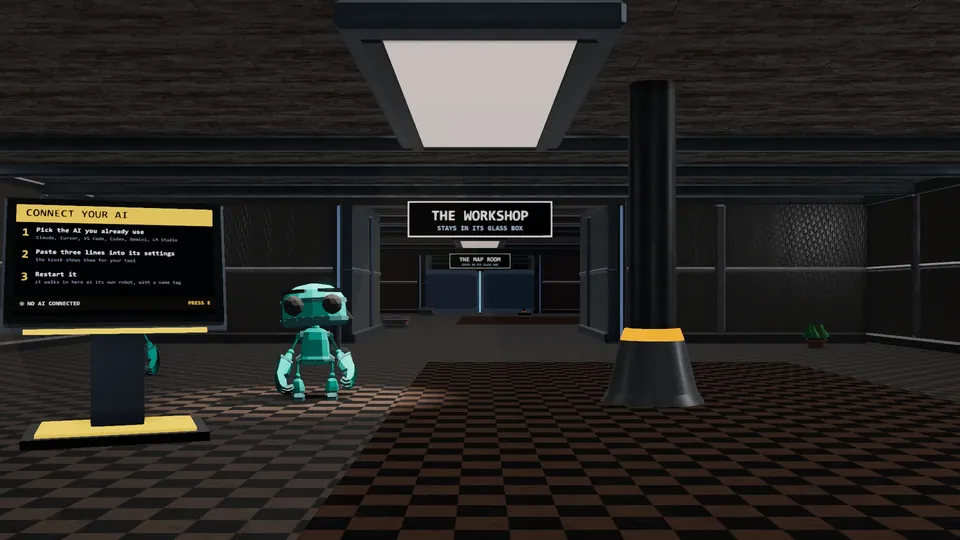
Three steps
- 1. Download and unzip.Double-click Play SandboxVille. Your browser opens in your Lobby.
- 2. Add a room.Drop a room's zip in the add-rooms-here folder, walk to a glowing empty lot, and press PLACE.
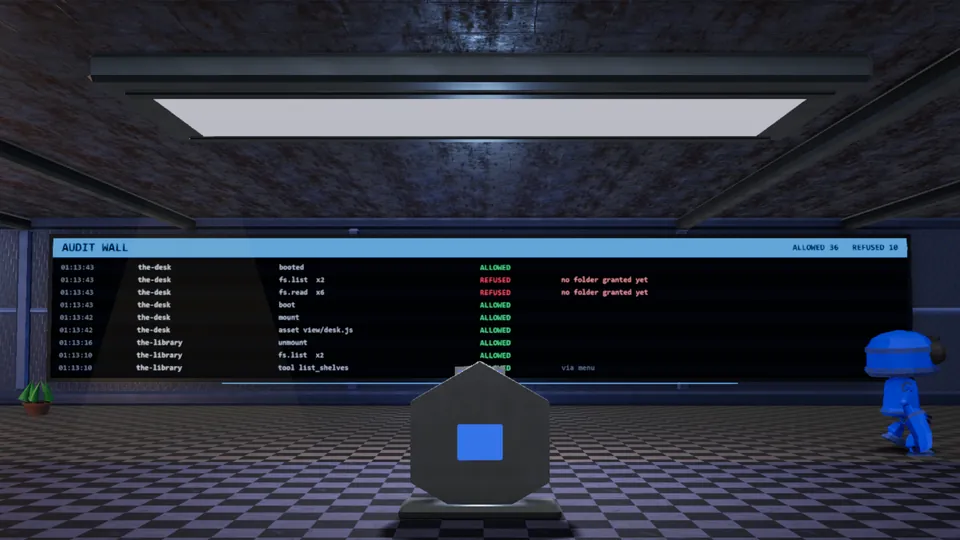
- 3. Bring your AI.Use a model on your own computer, or a cloud AI you already pay for. Watch it on the Security Office wall.
What you get
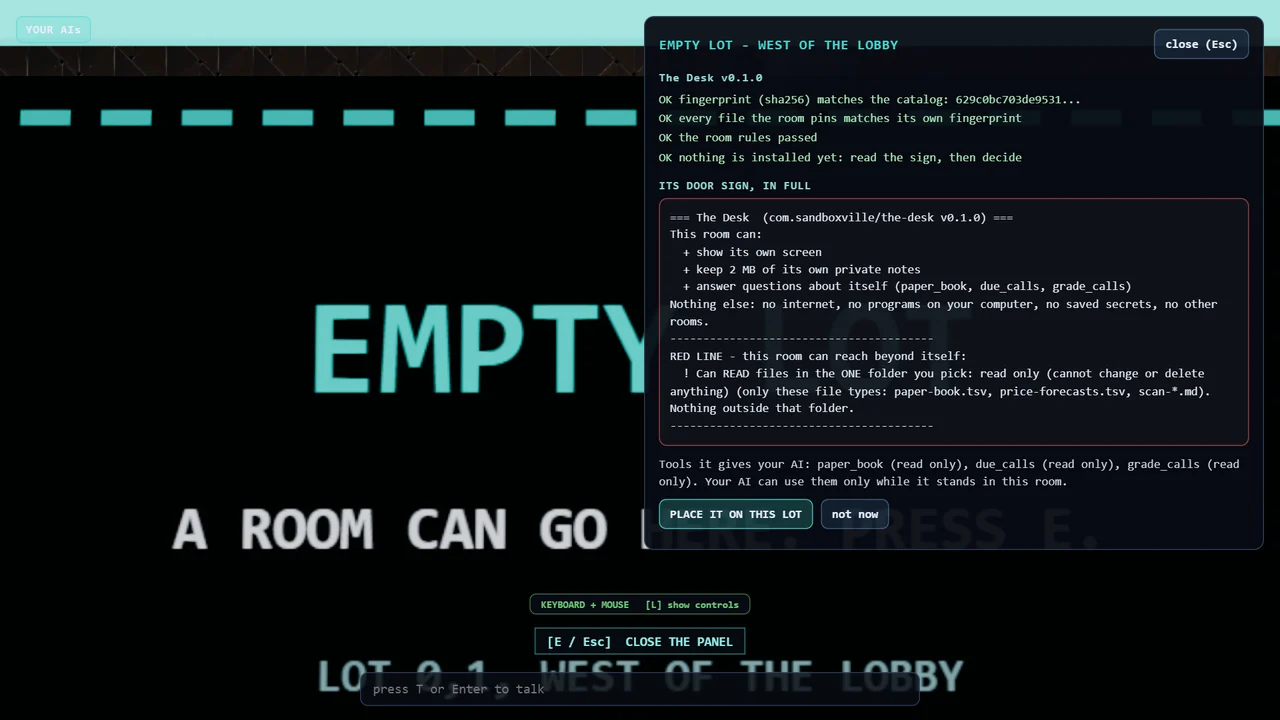
- A door sign on every room. It lists what the room asks to touch.
- A guard on every room request. If a room asks for something its sign does not list, the guard refuses and writes it on the wall in red.
- All your AIs in one place. See who checked in, what each can do, and what each needs from you.
- Friends on your WiFi. Dock with a friend's town at home and let your AIs meet.
- Your stuff stays on your computer. No account. No tracking in the app. Your rooms and notes are not sent to us.
Check what you download
Every SandboxVille download comes with a fingerprint (sha256). Compare it with the one we post before you open the file.
Windows may show a blue box the first time. Click More info, then Run anyway. Windows shows this for new files it has not seen many times.
Mac: open System Settings, Privacy and Security, and click Open Anyway. Mac and Linux need Node.js 20 or newer (free from nodejs.org).
What you need
Windows 10 or 11, a recent Mac, or Linux, with a browser that runs 3D smoothly.
Questions
Is it free?
Yes. SandboxVille and its rooms are free.
Is it safe?
It is built to keep each AI inside its room: rooms only get what their door sign lists, and refused requests show on the wall. No software is risk-free, so only place rooms you trust and keep backups. See Security and Known issues.
Does it send my data anywhere?
The app sends nothing to us. Your data leaves your computer only if you turn on a cloud AI (your words go to that AI company, on your own key) or friend mode (chat goes to your friend's town on your WiFi). AI tools you run yourself make their own connections.
Which AIs work?
Models on your own computer (Ollama, LM Studio), cloud AIs with your own key (Claude, ChatGPT models, Gemini, Grok), and AI tools you run in a terminal, such as Claude Code or Codex.
How do I remove it?
Delete the folder and the .sandboxville folder in your user folder.
Who made it?
One builder in Zanesville, Ohio. Follow the build in our Discord.
SandboxVille is an independent project, not affiliated with or endorsed by any AI company named on this page.